Webhooks
What webhooks are
Webhooks let Solve360 send real-time notifications to your external system when events occur in a Solve360 account. Instead of polling the API, your app receives an HTTP POST from Solve360 with event details whenever something changes.
How webhooks work with the API
1. Configure a webhook endpoint
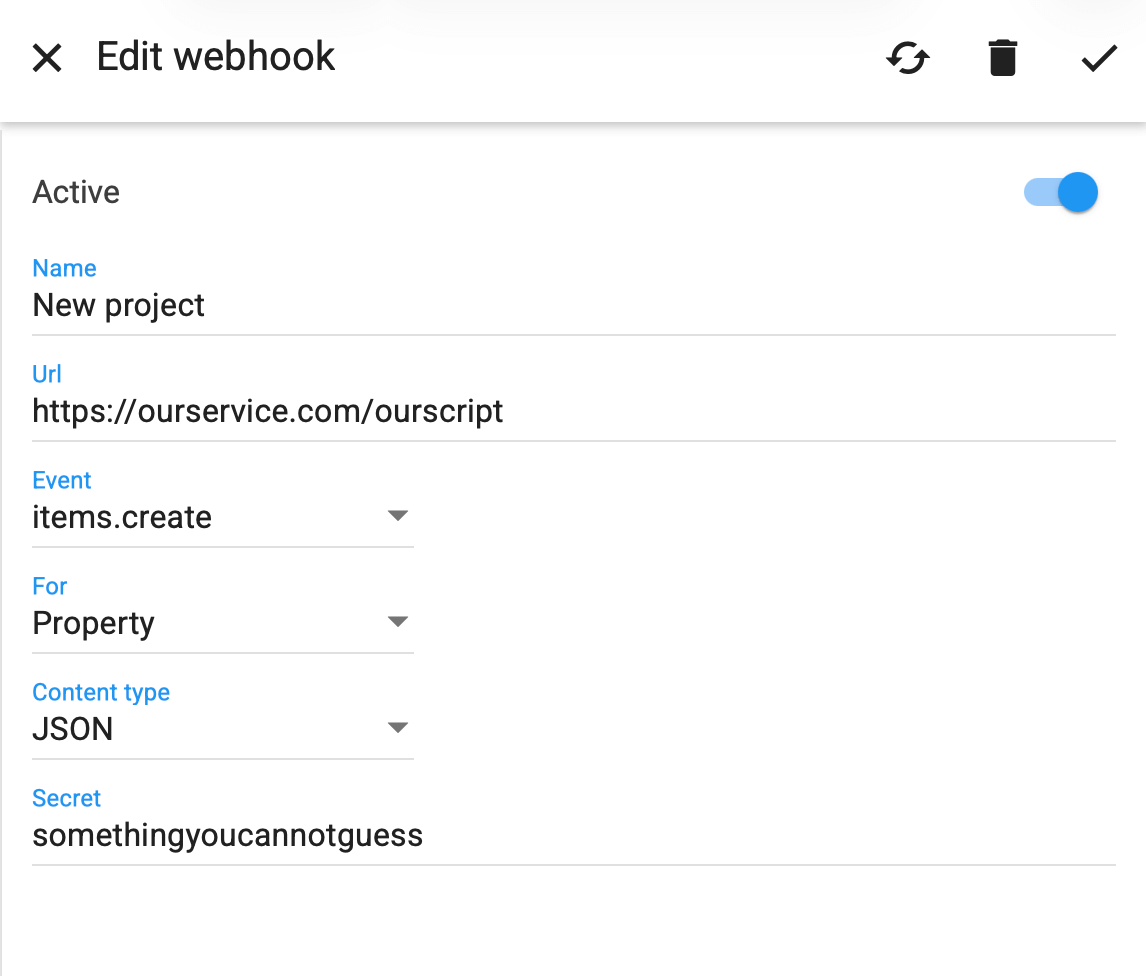
Provide a publicly accessible URL where Solve360 will send notifications. Your endpoint must return a success HTTP status (200–299).
2. Choose events and filters
When creating a webhook, you choose the type of event (create, update, delete, restore, categorize, uncategorize) and the item types you want to subscribe to (items, activities, etc.).
3. Receive notifications
Solve360 sends a notification payload in XML, JSON, or form encoded format with:
- the event type
- object ID
- the full record content (this lets your application react in real time without additional API calls)
4. Security
You can configure a webhook secret. Solve360 includes an HMAC-SHA256 header (X-Solve360-Hmac-Sha256) on each call. Your endpoint should verify this to ensure the request is legitimate.
5. Error handling and retries
If your endpoint returns an error status, Solve360 logs the failure and retries the webhook up to four times with delays. If all retries fail, an email with details is sent to the admin.
Webhook payload examples
Webhooks include the object content so you can inspect changes without an additional API fetch. Example formats:
XML example:
<notification>
  <type>items.update</type>
  <objectid>467069</objectid>
  <content>…full record details…</content>
</notification>
JSON example:
{
  "type":"items.update",
  "objectid":467069,
  "content":{…record details…}
}
Typical use cases
Webhooks complement the API. The API lets you read and update data; webhooks let you respond automatically as events happen. Common patterns include:
- Syncing new or updated contacts to another system immediately.
- Triggering actions (emails, assignments, follow-up tasks) when field values or statuses change.
- Orchestrating multi-step workflows outside Solve360 without polling its API.
Webhook + API Workflow
1. Event Occurs in Solve360 →
Webhook pushes notification to your endpoint (real time).
2. Your System Receives Payload →
Validate security header and parse the data.
3. Optional API Call →
If needed, use the Solve360 REST API to fetch additional info or update other Solve360 records.